
Nothing Comes Remotely Close to Splashtop On-Prem
The self-hosted, on-premise remote access and remote support solution you have been looking for.




Leverage the power of Splashtop’s secure and high-performance technology to give employees remote access to their computers and also enable IT to remotely access and support devices.

Key features and benefits
- Secure Connections – Get secure infrastructure, intrusion protection, SSL/AES 256-bit encryption and other advanced security features.
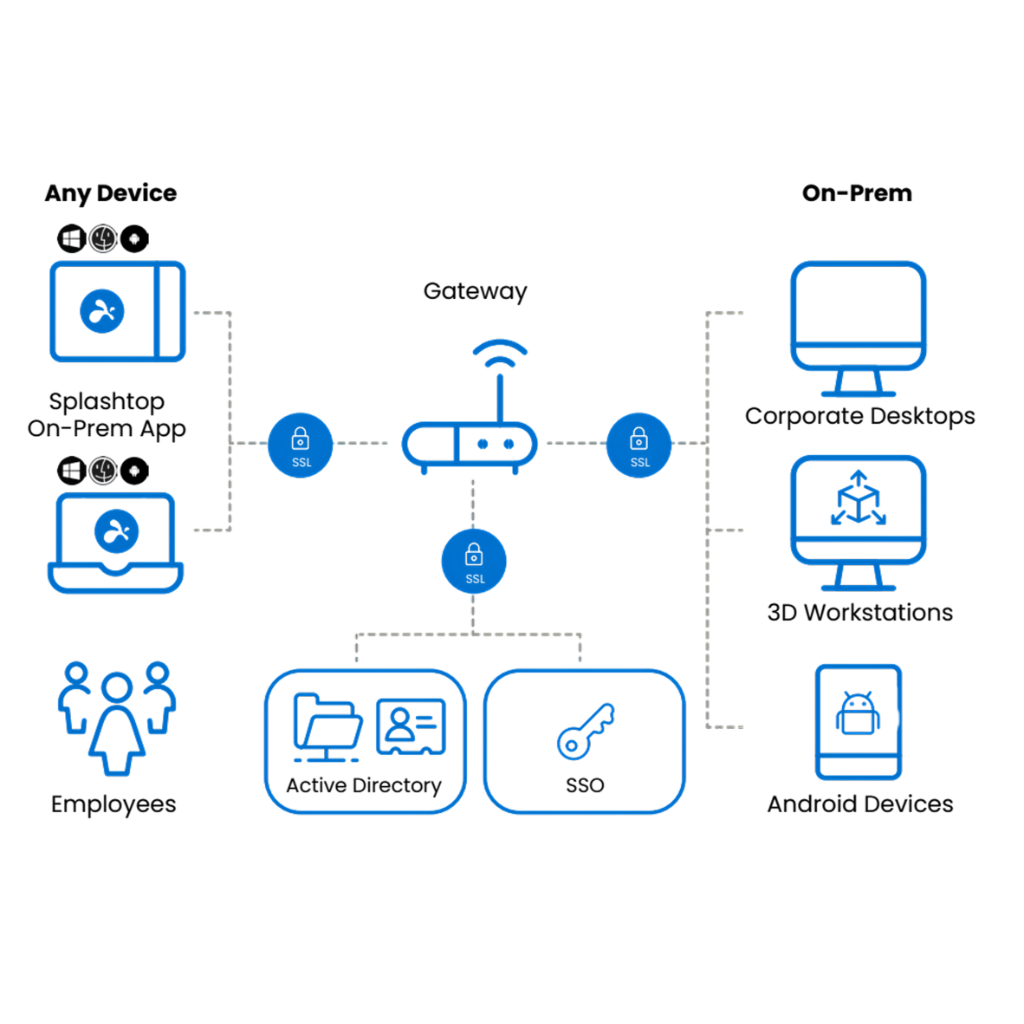
- Active Directory & SSO Integration – Authenticate through Active Directory or SSO / SAML. Splashtop supports SSO integrations with Okta, Azure AD, ADFS, JumpCloud, OneLogin, Workspace ONE, G-Suite, and TrustLogin.
- Access Control with IP Restriction – Restrict access to Gateway based on user IP.
- Splashtop Connector – Securely bridge RDP and VNC connections to Windows computers and servers through Splashtop without using VPN or installing any remote access agent.
- Syslog Integration – Export log data to a syslog server for SIEM system to retrieve and analyze.
- High Performance – HD quality, fast connections in real-time, frame rates up to 60 fps, minimized latency, performance indicator, quality settings and more.
- Multi-Monitor Support – Remote into multiple monitors connected to your workstations.
- Broad Device Support – Remote into your Mac, Windows or Linux computer from any Mac, Windows, iOS, Android, or Chromebook device.
- Scheduled Access – Schedule times for when users can remotely access computers.
- Microphone Passthrough – Users can transmit input via local microphone to the remote computer as the microphone input.
- USB Device Redirection – Redirect a USB device (smart card reader, security key, stylus/HID device, or printer) on your local computer to the remote computer.
- Unattended Android/Rugged IoT Support – Splashtop On-Prem provides remote access and remote support to any Android device from any computer or mobile device even without an end-user present. Android devices include smart phones, tablets, POS devices, kiosks, set top boxes and more.
- Open API’s – Automate workflows and seamlessly integrate Splashtop into existing applications for smoother IT operations.
Who benefits?
Organizations looking to give employees remote access to their computers as well as provide easy and secure remote support for devices.
- Financial executives can stay on top of business by remotely accessing and analyzing sensitive data securely from anywhere.
- Government field agents can access applications without downloading confidential information.
- Healthcare professionals can securely access patient records while maintaining confidentiality.
- Creatives working remotely can access their high-end workstations, files, and applications at their fingertips.
- IT Departments can remotely access and support unattended devices, as well as support unmanaged, attended computers on-demand.
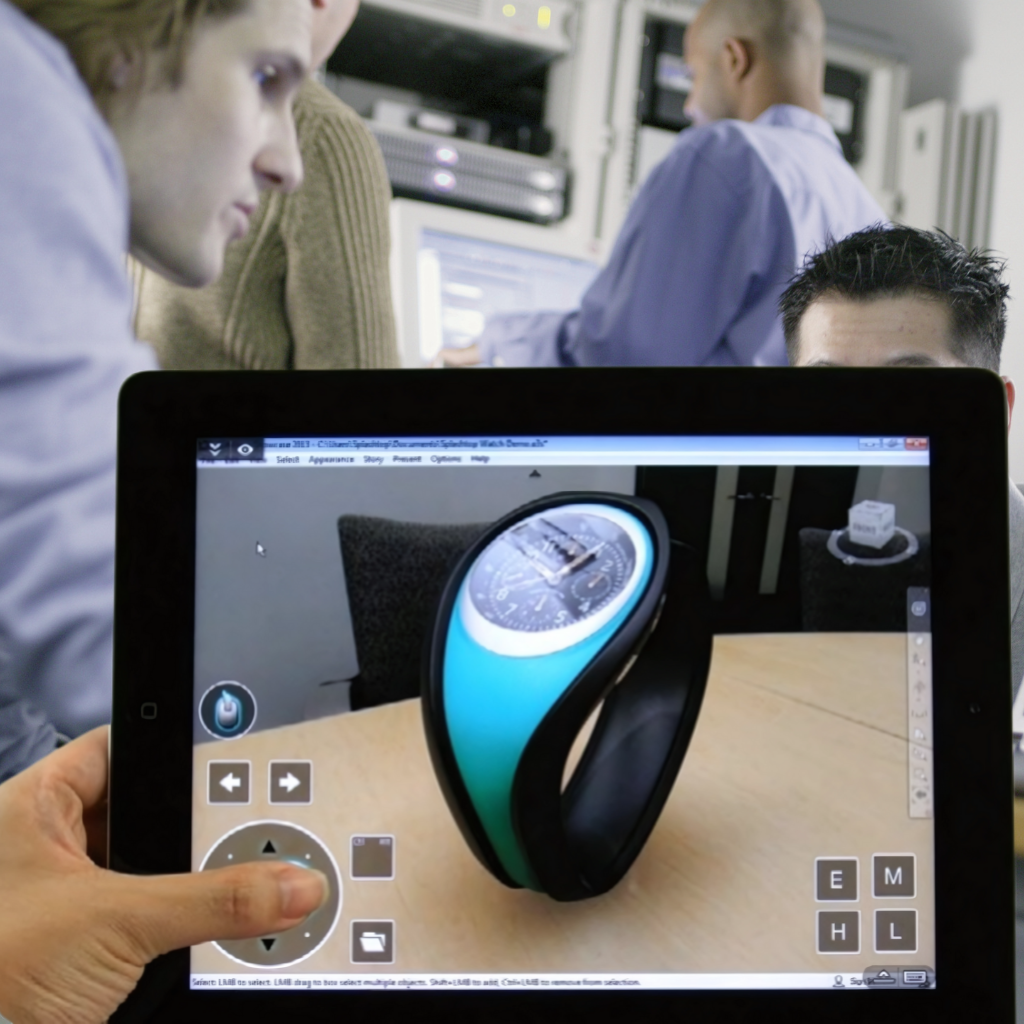
Remote Support
IT teams can provide attended quick support to any Windows, Mac, iOS, and Android devices without prior installation, using a 9-digit session code.
Architecture
Install the Splashtop On-Prem Gateway in your DMZ or behind your corporate firewall. Remote sessions can negotiate peer-to-peer across locally routable networks or bridge through the Splashtop On-Prem Gateway for cross-network access.
High-Availability Clustering
Eliminate downtime and optimize performance with load-balancing and high-availability server clusters.
Solution Overview
Frequently Answered Questions
Splashtop On-Prem is a self-hosted, on-premise remote access and remote support solution. This means it is hosted entirely within your own company's infrastructure or private data center, not in the cloud like solutions such as TeamViewer or LogMeIn. This self-hosted model significantly enhances security as all data and connections are managed within your controlled environment. It allows organizations to leverage Splashtop's secure and high-performance technology to give employees remote access to their computers and enable IT to remotely access and support devices.
Organizations looking to provide employees with remote access to their computers and IT departments needing secure remote support capabilities benefit greatly. Specific examples include:
- Financial executives: Securely access sensitive data remotely.
- Government field agents: Access applications without downloading confidential information.
- Healthcare professionals: Securely access patient records while maintaining confidentiality.
- Creatives: Remotely access high-end workstations, files, and applications.
- IT Departments: Remotely access and support unattended devices, and provide on-demand support for unmanaged, attended computers.
Splashtop On-Prem offers robust security features, including:
- Self-hosted architecture within your own network.
- Secure infrastructure and intrusion protection.
- SSL/AES 256-bit encryption for all remote sessions.
- Active Directory & SSO/SAML integration (Okta, Azure AD, ADFS, JumpCloud, OneLogin, Workspace ONE, G-Suite, TrustLogin).
- Access Control with IP Restriction to limit access to the Gateway based on user IP.
- Syslog Integration for exporting log data to SIEM systems.
The Splashtop Connector allows you to securely bridge RDP (Remote Desktop Protocol) and VNC (Virtual Network Computing) connections to Windows computers and servers through the Splashtop On-Prem Gateway. This is achieved without needing a VPN or installing any additional remote access agent on the target machines.
Splashtop On-Prem is designed for high performance, offering:
- HD quality remote sessions.
- Fast connections in real-time.
- Frame rates up to 60 fps.
- Minimized latency.
- Performance indicators and customizable quality settings.
You can remote into Mac, Windows, or Linux computers. Access to these computers can be from any Mac, Windows, iOS, Android, or Chromebook device. Splashtop On-Prem also supports unattended remote access and support for Android devices (smartphones, tablets, POS, kiosks, set-top boxes, etc.).
Yes, Splashtop On-Prem allows administrators to schedule specific times for when users or groups of users can remotely access computers, providing granular control over access windows.
Microphone Passthrough allows users to transmit audio input from their local microphone to the remote computer as if it were the remote computer's own microphone input. This is useful for applications requiring voice input on the remote machine.
USB Device Redirection enables you to redirect a USB device connected to your local computer (such as a smart card reader, security key, stylus/HID device, or printer) to the remote computer. The redirected device will function on the remote computer as if it were plugged in directly.
IT teams can provide attended (on-demand) quick support to any Windows, Mac, iOS, and Android devices without requiring prior software installation on the end-user's device. The connection is typically initiated using a 9-digit session code provided by the end-user.
Yes, Splashtop On-Prem supports High-Availability Clustering. This helps eliminate downtime and optimize performance through load-balancing and high-availability server clusters.
Pricing for Splashtop On-Prem is based on the number of users, concurrent technicians, or endpoints. You can easily save 50% or more when compared to other remote access and remote support solutions.